Showing posts with label visual schedule printables. Show all posts

January 16, 2025

How to Start Using Visual Supports

Want to start using visual supports with your child, but unsure of where to start? Here are some tips for how to start using visual supports.

One of my top tips for anyone supporting hyperlexic learners is to write things down and make things as visual as possible. That's where their strengths lie, after all.

But, where do you start? How do you know what types of visuals to use and when? How many is too many? What should you look for in a visual support? The questions go on and on...

So, if you're new to using visual supports, then these tips are for you. You'll learn all about how to start using visual supports, including what things to consider, how to adapt them to fit your needs, and so much more.

Tips for how to start using visual supports

Tips for How to Start Using Visual Supports

Whether you're using a premade visual support (like any found here) or making your own from scratch (tips here!), there are a few things you need to consider first before implementing a new visual support.

1. Consider Your Child's Needs & Preferences

Before you start using visual supports, it's important to consider a few questions:

  • What does your child need support with?
  • What are some current challenges or struggles?
  • How does your child learn best?
  • What are their sensory preferences?
  • What are their current interests?
  • What's their current level of understanding?

Asking these types of questions can help you identify areas where visual supports might be helpful and give you an idea of what type of support to create or use.

For example, let's say your child needs help identifying emotions and how they're feeling. You know that they learn best when things are written down (because they're hyperlexic, for instance) and are paired with a simple image. You also know that they get easily overstimulated when things are visually busy and that their current interest is LEGO. They're just learning basic emotion terms. So you might want to use something like this LEGO feelings chart.

Taking the time to assess your child's needs and consider their preferences in this way is a great first step to ensuring that the visuals you plan to use will be helpful and effective. After all, visuals will be more engaging and useful when they're tailored to your individual child's needs, preferences, and interests.

2. Start Small & Build Gradually

There are lots of possible visual supports that you can use, but it's best to introduce only one or two supports at a time. That way you don't overwhelm your child. Once your child is comfortable using visual supports, then you can gradually start to introduce more.

You also want to focus on what would be high-priority and have the most immediate benefit. A perfect example was when my son first got glasses. Since he didn't need to wear them all the time, we would often find ourselves forgetting them on our way out the door to school. So, I made a little poster that showed a pair of glasses paired with text that asked, "Do you have your glasses?" I taped it to our back door that we go through when leaving for school and it worked great.

3. Use Simple & Clear Visuals

It's important to make sure that the visuals are easy to interpret. For instance, that means making sure the design isn't too busy, that there's only one image per step or concept, and that the images make sense.

You also want to make sure that the visuals are tailored to your child's level of understanding. That means carefully consider things like the text. You want to make sure that the text is clear and understandable based on your child's abilities.

4. Involve Your Child in the Process

We've already touched on how it's important to tailor the visual supports to your child's needs, preferences, and interests. And one of the best ways to do that is to involve your child in the process.

For instance, let them help you create or choose the visuals. You might even want to consider taking photos of your child and their favorite items and incorporating them into your visuals, if possible. Let them pick the colors, fonts, or images if you're creating your own.

You can even work together to figure out where to put the visual supports so that they will be accessible and visible. Then hang them up together.

And, finally, work together when using the visual support. For example, when we started using this visual schedule at our house, we started off each morning planning our day out by putting the cards into the slots of the pocket chart. We would discuss together the order of events and whatnot too.

5. Model How to Use Them

When you start to use a new visual support, it's important to show your child how to use it. That way they know when to use them, what their purpose is, etc. Showing them how they work is also a great way to practice modeling gestalts too!

For example, let's say you are using a little visual routine chart that shows the different steps for brushing your teeth. You can point to the first step and model something like "Let's grab the toothbrush!" Then, once you do that, you can ask, "What's next?" or "Let's check what's next" and point to the next step.

Or let's say you have a checklist for bedtime. Something like this. Show your child how to do a step and then check that step off on the list. You can also model gestalts like "What's next?" or "All done!" while checking items off of the list.

6. Adapt as Needed

Once you start using a visual support, it's important to monitor how well it's working for your child. Consider asking the following questions:

  • Are there any tweaks that you might need to make to the design? (e.g., wording/phrasing, types of images used)
  • Does it need to be more interactive? (e.g., dry erase checklist, adding velcro elements)
  • Do you need to change the format? (e.g., needs to be a checklist versus a story, needs to be more portable)
  • Is it working in its current location or does it need to move elsewhere? (e.g., try it in a different room)
  • Has your child's interests changed? (e.g., they've moved from Pokemon to Minecraft)
  • Has your child's needs changed? (e.g., need to expand emotions chart to include more advanced emotions)
  • Has your child shared any feedback about the visual? (e.g., they don't like the pictures)

Based on the responses to questions like these, you should adapt and tweak the visual support so that it will better suit your needs.

Tips for how to start using visual supports

Recap of Getting Started with Visual Supports

Okay, let's do a quick summary of those tips again.

  • Consider your child's needs and preferences to make sure the visuals are tailored to your individual child
  • Start small and build gradually to avoid overwhelming your child
  • Use simple and clear visuals that are easy to interpret and are tailored to your child's level of understanding
  • Involve your child in the process, everything from picking the visuals to placement of the visuals
  • Model how to use them so your child knows what their purpose is and how to make the most of them
  • Adapt as needed so that they better suit your needs

Now that you know how to start using visual supports, you might want to consider these different examples of visual supports for different needs.

Tips for how to start using visual supports

Continue reading "How to Start Using Visual Supports"

January 15, 2025

What are Visual Supports?

What are visual supports? A look at what they are, who benefits from them, how they work, and why they're important.

Whether you are new to supporting neurodivergent learners or not, you've likely come across the term visual supports before.

But, what does that mean exactly? What are visual supports?

Well, below you'll learn what they are, who benefits from them, how they work, and why they're important. So, let's dig in.

What are visual supports? A look at what they are, who benefits from them, how they work, and why they're important

What are Visual Supports?

Visual supports are tools, images, items, or aids that are used to support understanding, communication, and learning by providing clear and concrete representations of tasks, concepts, or expectations.

Keep in mind that visual supports can take many forms. They can be simple or complex. They can be photos, videos, objects, drawings, or checklists. They can be posters, visual schedules, or communication cards. The possibilities are endless really. If want to see more examples, then I highly recommend checking out this list of different types of visuals.

Definition of visual supports

Who Benefits from Visual Supports?

In short, everyone! That means that all kids can benefit from using visual supports, regardless of age, ability, or neurotype. After all, visual supports can cater to a wide range of learning styles and abilities. In other words, they support all learners.

Consider this: When you travel to a foreign country, you might not be able to read or speak their language. However, you know that that little airplane icon on a sign is pointing you towards the airport, right? That's because visuals can communicate so much and improve our understanding of things.

Now, obviously, our focus around here is on neurodivergent learners, particularly hyperlexic and autistic learners. For these types of learners in particular, visual supports are effective because they align with their strengths in reading and visual processing, while also supporting their weaker areas of comprehension, auditory processing, and verbal communication.

Remember, visual supports can benefit all kids though, not just hyperlexic or autistic learners.

How Do Visual Supports Work?

Visual supports can transform abstract concepts into something more tangible, accessible, and easier to process. For example, what's easier to understand: someone saying "five more minutes" or a visual timer that physically shows five minutes?

Also, visuals can simplify complex or abstract concepts into individual parts, making the information more concrete and digestible. Take this deodorant visual schedule, for instance, that transforms "put on deodorant" into its individual steps like removing the lid and then putting it back on when you're done.

Additionally, unlike spoken language that quickly disappears, visuals are static and permanent. That means that kids can refer back to them as much as they need and as often as they want.

Visuals can also help reduce ambiguity because they're clear and predictable. For instance, you don't have to rely on remembering what was said because you can reference the written instructions or the classroom's visual schedule for what's next.

How do visual supports work?

Why are Visual Supports Important?

There are lots of benefits to using visuals. Yet, the short answer here is that visual supports are important because they enhance understanding, communication, and learning for ALL learners.

Visual supports enhance understanding, communication, and learning for all learners

A Recap of The Basics of Visual Supports

Here's what was covered above regarding the basics of visual supports:

  • Visual supports are tools that provide clear and concrete representations of tasks, concepts, or expectations
  • They come in many forms from visual schedules and checklists to photos and posters
  • They benefit all learners, regardless of age, ability, or neurotype, but are particularly helpful for our neurodivergent learners
  • Visual supports are accessible, static, and clear, transforming abstract concepts into something easier to process
  • They support understanding, communication, and learning for all learners

So, hopefully that helps answer the question what are visual supports?

What are visual supports? A look at what they are, who benefits from them, how they work, and why they're important

Continue reading "What are Visual Supports?"

January 14, 2025

Examples of Visual Supports for Hyperlexic Learners

A look at examples of visual supports that are great for hyperlexic learners, whether that's at home or in the classroom.

It's no secret that hyperlexic learners have a preference for written language and are drawn to anything with the written word. Additionally, they have strong visual processing skills, easily recognizing patterns, letters, and symbols.

On the other hand, auditory processing difficulties are quite common (more on that here). By relying solely on spoken language or verbal instructions, you'll be doing a major disservice to our hyperlexic learners.

So, that's why we want to lean into those strengths of decoding and visual processing by using visual supports with hyperlexic learners.

Below, we'll take a closer look at some different examples of visual supports that are great to use with hyperlexic learners. And also give you some inspiration for things to try. (Hint: you'll find lots of pre-made printables as examples!)

A look at examples of visual supports that are great for hyperlexic learners, whether that's at home or in the classroom

Examples of Visual Supports that are Great for Hyperlexic Learners

As you will see shortly, you can use visual supports with hyperlexic learners to help with schoolwork, boost comprehension skills, support communication, and so much more. I've broken down each category with some possible examples with links to lots of printable resources that you can use to support those areas. Hopefully it will give you some great ideas and tools for incorporating more visuals into your daily routine.

Use cases for visual supports for hyperlexic learners

1. Visuals for Helping with School or Homework

School can be sensory overwhelming for many and homework can also be a struggle, especially related to areas such as expressive writing or comprehension. However, as you will see, there are lots of different visual support examples that you can use to help hyperlexic learners in the classroom or at home with their homework. You might want to consider trying:

  • Mind maps - You can even quickly create these on a whiteboard or Boogie Board.
  • Written instructions to supplement verbal instructions
  • Rubrics
  • Examples of completed work - Can be especially helpful for open-ended art projects!
  • Anchor charts
  • Word walls
  • Flashcards
  • Posters with classroom rules or expectations - Here's an example of one for remembering to use complete sentences when writing.

Example visuals for school or homework

2. Visuals for Boosting Comprehension Skills

Obviously, comprehension issues are a common challenge for hyperlexic learners so prioritizing this area is extremely important. Thankfully, there are lots of great visual supports and aids that we can use to support development in this area, including:

  • Illustrated dictionary
  • Tables, graphs, charts, & diagrams
  • Copy of the book for read alouds - That way they can follow along!
  • Posters & anchor charts
  • Flashcards

Example visuals for comprehension

3. Visuals for Supporting Effective Communication

As you may or may not know, hyperlexic learners are gestalt language processors and learn language differently. They often find WH questions difficult, use a lot of echolalia to communicate, and have receptive and expressive language issues, just to name a few of these differences. So, to support communication and language development, consider trying the following ideas:

  • Texting or messaging apps
  • Choice boards
  • Picture cards
  • Whiteboards, chalkboards, notebooks, or sticky notes
  • Letter toys - It's actually how a lot of hyperlexic toddlers and preschoolers communicate when they're younger so please don't discourage or take away their letters. More on that here.

Example visuals for communication

4. Visuals for Promoting Self-Regulation Strategies

Hyperlexic learners can also benefit from using visuals to support their sensory needs, emotional development, and regulation. Here are some visual tools to try:

  • Choice boards
  • Deep breathing posters - Here's one inspired by the hyperlexic child's love for the book Chicka Chicka Boom Boom.
  • Sensory diet/break cards

Example visuals for self-regulation

5. Visuals for Strengthening Executive Functioning Abilities

Hyperlexic learners may also need some support with their executive functioning, including planning and organization. So, if you're looking for ways to strengthen these executive functioning abilities, consider trying the following.

  • Calendars or planners
  • First-then schedules
  • Labels
  • Maps
  • Color coding
  • Apps (e.g., reminders, notes, calendar, etc.)
  • Written instructions

Example visuals for executive functioning

6. Visuals for Supporting Social Skills

Social skills is another area where hyperlexic learners can benefit from some extra support and guidance. You can use the following types of visual supports to build confidence in this area.

  • Books
  • Videos (e.g., songs that teach social rules, video modeling, virtual tours, video social stories)
  • Posters
  • Checklists
  • Communication boards & cards
  • List of expectations, rules, or steps involved

Example visuals for social skills

7. Visuals for Teaching Self-Advocacy Skills

Perhaps one of the most important skills you can teach a hyperlexic learner is how to advocate for themselves! Here are some examples and ideas of how you can incorporate different types of visual supports to build self-advocacy skills.

  • Texting or messaging apps
  • Sensory checklist - That way you know what your sensory triggers are!
  • Cue cards

Example visuals for self-advocacy

Use cases for visual supports for hyperlexic learners

Some Final Thoughts on the Different Types of Visual Supports

As you can see, visual supports are helpful for supporting a wide range of support needs, from teaching self-advocacy and social skills to supporting regulation and comprehension. You can use things like social stories and scripts, videos, posters, cue cards, graphic organizers, checklists, visual schedules, books, labels...the list goes on and on.

Each type will, of course, have their own advantages and disadvantages. However, it's important to remember that when it comes to supporting hyperlexic learners, we want to include the written word as much as possible. So visuals that incorporate the written word - as well as their interests! - will go a long way.

When it comes to supporting hyperlexic learners, we want to include the written word as much as possible. So visuals that incorporate the written word - as well as their interests! - will go a long way.

So feel free to try out some of the above examples of visual supports and see what works best for your hyperlexic learner.

A look at examples of visual supports that are great for hyperlexic learners, whether that's at home or in the classroom

A list of example visual supports for hyperlexic learners

Continue reading "Examples of Visual Supports for Hyperlexic Learners"

January 13, 2025

Tips for Creating Your Own Visual Supports for Kids

Want to create effective visuals for hyperlexic and autistic learners? Here are 9 tips for creating your own visual supports.

It's no secret that visual supports are extremely useful for hyperlexic and autistic learners, from graphic organizers and visual schedules to social stories and scripts.

Keep in mind, though, that visual supports can benefit all kids, not just hyperlexic and autistic learners. So, while some of the following tips focus more on these types of learners, the tips will still be helpful for and applicable to non-autistic and non-hyperlexic learners as well.

I do want to mention that there's absolutely nothing wrong with using premade visuals. I mean there's a reason why you'll find tons here and in the shop. But, sometimes, you can't quite find what you need, especially if your child needs support with something super specific or has really unique interests such as traffic lights or lawn mowers.

So, if you're wanting to dive into creating some visuals yourself (even if it's only from time to time), then you're going to find these tips for creating your own visual supports helpful. Let's dig in and take a closer look!

Tips for creating your own visual supports for kids, with tips for hyperlexic & autistic learners in particular

Tips for Creating Your Own Visual Supports

Obviously, you're thinking of making your own visuals for your child (hence, why you're here). We're going to cover 9 tips in total to help you make effective visuals.

Tips for creating your own visual supports for hyperlexic & autistic kids

1. Visuals don't have to be fancy

Remember, visuals don't have to be fancy with all the bells and whistles like specially selected fonts and clipart.

Sometimes, low tech options such as scribbling things down quickly on an index card or sticky note can often do the trick. Even just opening up the notes app on your phone to quickly type something out can go a long way.

Seriously, index cards, sticky notes, whiteboards, a Boogie Board (a must own tool for all hyperlexic learners, in my opinion!), and even a label maker (here's the one we have) can make for effective visual supports.

Shop Boogie Boards now

2. Use technology & templates to help

I've already mentioned using the notes app on your phone, but there are also lots of great apps and websites that you can use to create visual supports for your kids, whether that's visual schedules, checklists, or social stories.

Let's take social stories for instance. You can use an AI tool such as ChatGPT to help your brainstorm ideas and/or write the story. Then you can pop it into PowerPoint, Canva, or even our free social story templates and then add some pictures, and voila, you have a custom social story.

Free social story templates

Learn more about these templates

3. Break concepts down into specific steps or individual parts

When creating visuals, it's important to consider all of the necessary steps to include. I'll never forget the toileting social story that someone created for us years ago and it didn't include the important step of flushing the toilet...

Additionally, you want to make sure you explain the why behind the steps as our kids often want to know why certain steps are important.

Finally, be sure to consider what "done" looks like. For instance, when brushing teeth, does done mean just brushing teeth? Or does it mean brush, floss, and mouthwash AND put everything away after? Then make sure that whatever "done" looks like is properly communicated via your visual.

4. Include relevant images

Text on its own can be great, but pairing it with relevant images will be so much more effective. Plus, it can better support comprehension and boost engagement.

Ideally, you also want to use real photos as much as possible, especially for personal or familiar items (e.g., a picture of grandma, a photo of the dentist's office that you will be going to, a photo of the child with their pet).

5. Incorporate the child's interests & passions

If you want to increase engagement and interest, consider using themes or visuals that align with their interests and passions. For example, I created these video game themed posters for my youngest son to help with writing complete sentences and he loved that he could pick his favorite controller to use.

Video game controller themed posters for writing in a complete sentence

Learn more about this poster

Another example is this ABCs of problem solving poster which incorporates a hyperlexic child's interest in letters.

ABCs of problem solving poster

Learn more about this poster

6. Incorporate the written word as much as possible

Remember, for our hyperlexic learners in particular, they're drawn to the written word and can decode. So, when we include the written word in our visuals you're not only playing to their strengths, but you're also including their interest in the written word.

7. Keep the design simple

It's best to avoid hard-to-read fonts, busy borders, lots of colors and images, etc. that are visually distracting, busy, and overstimulating (honestly, it's my biggest complaint with a lot of teacher-made visuals and assignments). Instead, you should opt for plain text, a clean format, and uncluttered designs to avoid overwhelming the child. Doing so makes it much easier for the child to focus on what's important.

A good example of keeping visuals simple are these social scripts (one example pictured below), which use one line of text per card with a simple font and nothing else. There's also this free visual schedule, which pairs an image with short text or our social stories that pair a real photo with plain text.

Things I can say when I am frustrated or angry

8. Tailor it to the individual child, their needs, & situation

Remember, visual supports should be individualized as much as possible. That means considering their learning style, preferences, strengths, weaknesses, and interests when designing a visual support. If possible, you could include the child in the creation process and let them have some say in how it looks and what it includes.

You also want to consider the situation. For example, does the visual need to be portable? Does it need to be waterproof? Is a digital version okay or does it need to be printed off? Depending on your needs and your answers to these questions, you might want to consider the size of your visuals (will they big or small?), laminating them for durability, adding them to a keychain, storing them on your phone, etc.

9. Make it interactive and hands-on, if possible

Think of how satisfying it is to check things off of a list. That's what we're talking about here. So you might want to consider brainstorming different ways to make your visual support interactive whether that's using velcro (like this emotions chart) or magnets, adding a checklist, using a dry erase surface, adding flaps that can be closed when completed, using a pocket chart so that things can be rearranged as needed (see here or below), or similar.

Visual schedule that is easy to move parts around

A Quick Recap of Tips for Making Visual Supports

In case you're a skim reader, here's a summary of the tips that were discussed above:

  • Visuals don't have to be fancy so don't forget to consider low tech options
  • Use technology & templates to help
  • Break concepts down into specific steps or individual parts
  • Include relevant images
  • Incorporate the child's interests & passions
  • Incorporate the written word as much as possible, especially for hyperlexic learners
  • Keep the design simple
  • Tailor it to the individual child, their needs, & situation
  • Make it interactive & hands-on, if possible

Tips for creating your own visual supports for kids, with tips for hyperlexic & autistic learners in particular

Finally, don't forget to have fun and get creative. After all, there are so many different types of visual supports that you can make for your child.

Just remember that, if you want to make an effective visual for hyperlexic or autistic learners, then you should keep the above tips for creating your own visual supports in mind.

Tips for creating your own visual supports for kids, with tips for hyperlexic & autistic learners in particular

Continue reading "Tips for Creating Your Own Visual Supports for Kids"

July 02, 2022

Free Printable How to Put on Deodorant Visual Schedules

Free printable how to put on deodorant visual schedules for preteens and teens.

As you know, puberty brings a lot of changes to the body, as well as changes to daily routines. Suddenly you're sweating more and have body odor, among many other things, and now you're expected to slap on some deodorant in order to stay fresh and dry.

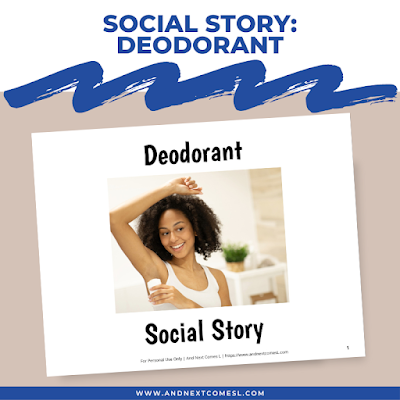
Many kids might need some extra support with this new part of their daily routine, especially when they're first getting started. And that's where these visual schedules and this deodorant social story come in. They help break down the steps of applying deodorant.

So if your preteen or teen is ready to wear deodorant, these how to put on deodorant visual schedules will be a great resource for them. They can pick and choose the one that fits them best whether they're using stick, roll on, or spray deodorant.

Free printable how to put on deodorant visual schedules for preteens and teens

About these Deodorant Visual Schedules

This printable pack includes 12 different visual schedule variations. There are six visual schedule charts and visual schedule strips, each with step-by-step instructions paired with a full color photo for each step. So you'll be able to pick the version and format that works best for your child. 

The visual schedule charts are a one page visual routine with numbered steps, similar to a checklist. There are male and female versions for stick deodorant, roll on deodorant, and spray deodorant. 

For the visual schedule strips, you'll find two versions per page, one male and female, for each type of deodorant: stick, roll on, and spray. These strips are much more compact than the one page charts.

Regardless of which version you end up using, I highly recommend laminating these visual schedules first. Here's the laminator I use and love.

Download the How to Put on Deodorant Visual Schedules

This nine page printable pack includes 12 different putting on deodorant visual schedule variations. Some are posters and others are little visual schedule strips. There are also male and female versions for each type of deodorant: stick, roll on, and spray. Feel free to print off the one that best suits your needs.

To get a copy of this printable, click the link below:

>> Click here to download this free printable


Another Great Resource for Teaching Kids How to Put on Deodorant

These printable visual schedules are designed to work together with the Deodorant Social Story, which goes into much more detail about how to put on deodorant and why you need to wear it. It's the perfect complement to these visual schedules.

Get your copy of the Deodorant Social Story

Hopefully you find these how to put on deodorant visual schedules, as well as the social story above, helpful for your child!

Free printable how to put on deodorant visual schedules for preteens and teens

Continue reading "Free Printable How to Put on Deodorant Visual Schedules"

May 21, 2019

12 Benefits of Visual Schedules for Autistic or Hyperlexic Kids

How does using a visual schedule benefit kids with autism and/or hyperlexia? Let's take a closer look at 12 benefits of visual schedules. Then be sure to grab the free printable cheat sheet too!

Back when my kids were about three and one, I made this visual schedule as a way to build routine and structure into our day. I was hoping it would also help us deal with transitions.

Little did I know that that visual schedule would have such a tremendous impact on our daily life!

Since then I have been a big fan of using visual schedules and routines for kids, especially those with diagnosese such as autism or hyperlexia.

Here are 12 benefits of visual schedules and the reasons why you should be using one, if you aren't already.

Visual schedule: 12 reasons why visual schedules are helpful for kids with autism or hyperlexia

12 Reasons Why Visual Schedules are Helpful for Autistic & Hyperlexic Children

I remember when we first started implementing and using a visual schedule in our house. It was simply life changing for us!

Here are some of the reasons why using a visual schedule is important for kids with autism and/or hyperlexia.

1. Provides organization, structure, and predictability to the day

Visual schedules are a great way to build routine and inform kids about the expectations for the day.

2. Supports literacy development

Since visual schedules often incorporate words with pictures (at least my free visual schedule does!), it aids in comprehension, recognition of words, and the relationship between words and pictures.

3. Reinforces & supplements verbal instructions

Many kids with autism and/or hyperlexia struggle with expressive and receptive speech so verbal instructions can literally go in one ear and out the other. Using a visual schedule with these kids reinforces those verbal instructions.

4. Teaches time concepts & sequencing

Even if you don't use specific times alongside your visual schedule (we never did because that would have been a disaster with J when he was younger!), the format of a visual schedule clearly illustrates the sequence of events for the day. These kids can literally see what comes next.

Visual schedules can also be used to teach abstract concepts such as first, next, last or before and after.

5. Teaches responsibility & planning

Kids can take part in planning out their day by helping their parents or teachers build the visual schedule or routine for the day. Doing so allows them to think about and plan out tasks in an appropriate sequence, helping to build strong executive functioning skills.

Kids also learn to move onto the next task or activity on the schedule on their own after completing the previous one.

Visual schedules can also be used to break down tasks into smaller steps, allowing these kids a better way to master basic life skills.

6. Eases transitions

Switching tasks can be extremely tough for kids with autism or hyperlexia, especially if they are unexpected changes.

A visual schedule, however, reduces meltdowns and struggles about moving to the next task because the schedule visually depicts what comes next. As a result, the schedule helps kids anticipate any changes.

7. Reduces anxiety

The reason why changing tasks can be difficult is because kids don't always know what comes next, causing anxiety. However, as pointed out above, visual schedules ease transitions. As a result, anxiety can be reduced too.

8. Provides independence

Kids can check the visual schedule when they want and move onto the next task by themselves by referencing the schedule to see what comes next.

Also, visual schedules reduce the need for students to ask teachers or parents what they can do next or what time a particular activity is happening at. They can simple check the schedule independently.

9. Builds self-esteem

Since visual schedules allow children to develop responsibility and independence, kids' self-esteem can also be strengthened. Kids can see the progress they make by checking off things on the visual schedule and feeling a sense of accomplishment.

10. Plays to the strengths of kids with autism

Kids with autism and/or hyperlexia are strong visual learners. Using a visual schedule plays to this strength.

11. Allows change to be introduced easily

A new task or activity can easily be introduced into a visual schedule by placing it between two items already on the schedule. Since kids can see the new change visually and where that change takes place, they can adapt better to those changes. See benefit #6 for more information about this benefit.

12. Available for referencing throughout the day

Many kids with autism and/or hyperlexia struggle retaining and/or comprehending verbal information. Using a visual schedule at home or in the classroom allows for these kids to check the schedule whenever they want, without having to rely on memory of what was spoken to them earlier. Visual schedules are not fleeting like language is.

Download the Free Printable Cheat Sheet

To get a copy of this printable cheat sheet, click the link below:

>> Click here to download the free printable

Free printable cheat sheet about the benefits of visual schedules for kids from And Next Comes L

Visual schedule: 12 reasons why visual schedules are helpful for kids with autism or hyperlexia

Continue reading "12 Benefits of Visual Schedules for Autistic or Hyperlexic Kids"

Free Printable Daily Visual Schedule Planner for Activities & Events

Free printable visual schedule planner for kids to write out a plan for activities and events.

When I first made a visual schedule for my son many years ago, I had no idea the impact it would have.

Same goes for social stories.

Having visual tools available for my hyperlexic son has been a game changer.

Whenever he is feeling anxious or nervous about a new activity or event, we always break it down for him. We explain the what, when, where, who, and why behind the event. We show him relevant videos, photos, and websites (if applicable). We discuss the event multiple times before the day of the event.

Essentially our goal is to have him be so comfortable and familiar with everything involved so that he can be prepared. It also helps ease his anxiety and reduces the likelihood of a meltdown because he already knows, ahead of time, what to expect.

This visual schedule planner sheet for activities and events is a tool that you can use to break down any upcoming event or activity for your child.

Free printable visual schedule planner for kids to plan out activities and events

About the Free Printable Visual Schedule Activity Planner for Kids

This printable is one page and has spots for kids or adults to fill in details about an event or activity that they will be participating in. It can be used for field trips, weddings, funerals, birthday parties, or really any new social situation that your child needs help with navigating.

It will help outline details about the activity or event including:

  • Where the event or activity is taking place
  • When the event or activity is taking place
  • What they will be doing at or during the event or activity
  • Who else will be at the event or activity

It's a great visual schedule tool!

Download the Free Printable

This one page printable includes colorful clipart and boxes for you to fill in information about the upcoming activity or event. You could laminate it to make it reusable or print off new copies as needed.

To get a copy of this printable, click the link below:

>> Click here to download this free printable


Free printable visual schedule planner for kids to plan out activities and events

Continue reading "Free Printable Daily Visual Schedule Planner for Activities & Events"